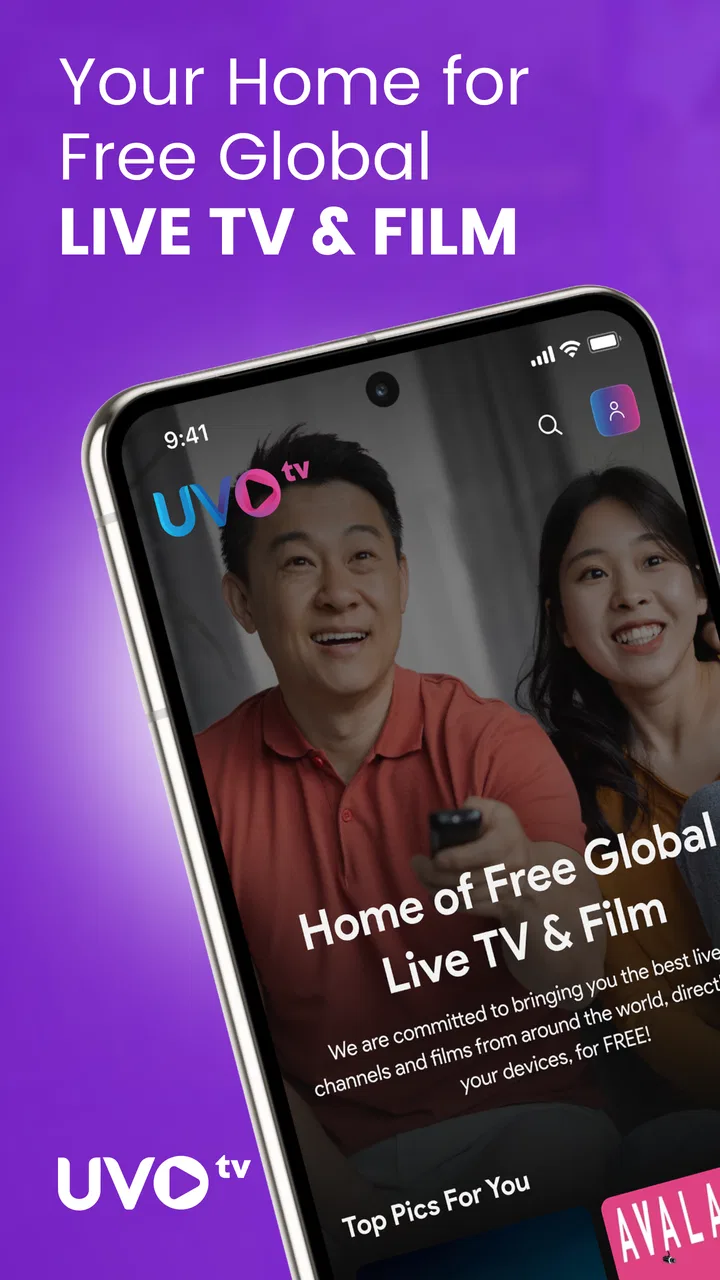
UVOtv: Watch Live TV & Movies
- 3.6
- Rating
- 100.00K
- Installs
- Free
- Price

 Analysis by App-foxy
I approached UVOtv: Watch Live TV & Movies as a practical entertainment app rather than a replacement for every television service. Its main appeal is straightforward: it brings live channels from Arab, Indian, African, Latino, and Nepali television into one place without a subscription fee. That makes it interesting for households with several language preferences, viewers who want familiar programming while living abroad, and anyone who would rather browse one app than jump between separate channel services.
My experience with it is best described as useful but dependent on expectations. The app is free, and that removes the biggest barrier to trying it. At the same time, free live television is rarely as predictable as a paid, tightly managed platform. I found that the important questions are not only “Does it open?” or “Are there channels?” but also “Can I find the right stream quickly?”, “What should I check when playback fails?”, and “Is this suitable for the way I actually watch?”
UVOtv is an entertainment app from UVOtv Entertainment LLC. It is aimed at a Teen audience, runs on Android versions starting with 7.0, and its current version is 1.28.20. The app was released on October 30, 2023, and has passed the 100K-install mark. Its average rating sits at 3.6 from around 170 ratings, with roughly 50 written reviews, so the public response suggests a mixed experience rather than universal satisfaction.
You May Also Like

 Blood Strike: 2.5 Anniversary
Blood Strike’s Loadouts Turn Every Drop Into a Tactical Gamble
A close look at Blood Strike’s custom loadouts: how fast access to signature weapons reshapes its battle royale rhythm, rewards preparation, and narrows the gap between fights.

 Pandora - Music & Podcasts
Pandora’s Music Is Easy to Start, but Harder to Recover
Pandora’s strength is its low-effort path from a seed to a station. Its weak spot is how much confidence it asks you to place in connection, setup, and quiet recovery.

 8 Ball Pool
8 Ball Pool Is Built on Rivalries, Rematches, and Routine
A close look at the rivalries, rematches, shared routines, and unanswered safety questions that turn a quick pool match into a persistent mobile community.

 Samsung Music
Samsung Music’s Quiet Strength Is Playing What You Already Own
Its reach comes less from spectacle than from dependable access to a personal library. That simplicity is both the app’s strongest retention engine and its ceiling.

 AccuWeather: Weather Radar
AccuWeather Review: A Quick, Clear Forecast for Everyday Decisions
For everyday plans, the best forecast is the one you can understand quickly. AccuWeather makes rain timing, radar, and local conditions easy to act on, with a few trade-offs.

 Hill Climb Racing
Why Hill Climb Racing Still Turns Crashes Into One More Run
A tiny car, a bumpy hill and one more upgrade: Hill Climb Racing keeps resurfacing because its simple chaos makes every near-miss feel personal.
More From Our News Desk



Getting past the first points of friction
I find that first-use friction is easier to handle when I treat the app as a set of regional starting points, not a conventional channel guide. In this section, I’ll focus on how to make that initial exploration more deliberate and how to tell a slow start from a poor fit for your viewing habits. That groundwork makes it easier to recover calmly if playback later stops cooperating.
Why the first session may feel less smooth than expected
The most common difficulty with a live-TV app is not necessarily the channel catalog. It is the gap between opening the app and actually watching something. A viewer may expect a familiar television layout, then find that the useful action is hidden behind browsing, a category choice, or a stream that takes a moment to respond. I recommend giving the first session a little patience instead of repeatedly tapping the same channel.
Because UVOtv gathers programming associated with several regions, browsing can require a different mindset from using a single-country broadcaster app. If I am looking for Indian television, I do not treat the entire home screen as one long list. I first identify the regional area that matches what I want, then narrow my attention to the available channels. That simple habit reduces the feeling that the app is disorganized.
Another point of friction is the meaning of “live.” A live channel is not the same as an on-demand library where I can pause my decision, choose any episode, or resume exactly where I stopped. UVOtv is more useful when I want to join a current broadcast or casually discover what is on. It is less suitable when I have a precise program, episode, or start time in mind and need guaranteed access.
The best first test is a short, low-pressure viewing session. I would not install it five minutes before an important match, news broadcast, or family program and assume everything will be ready. I would open it earlier, try more than one channel, and learn how the regional browsing works while there is no urgency.
What I would check before blaming the app
When a stream does not start, I begin with the basics: confirm that other apps can use the connection, switch between Wi-Fi and mobile data when possible, and close the app before opening it again. Live video is more sensitive to an unstable connection than ordinary web pages, so a connection that feels fine for messaging may still struggle with continuous playback.
I also check whether the problem affects one channel or everything I try. If one stream fails while another begins normally, I do not immediately conclude that the whole application is broken. The issue may be limited to that broadcast. If every channel refuses to load, the next checks are the network, the app session, and the device rather than endless channel tapping.
On Android, I would make sure the device is running at least Android 7.0 and that the app is updated to the current version available for the device. Updating is not a guarantee that every stream will work, but it removes an avoidable source of trouble. I also keep enough free storage for normal app operation and restart the phone if playback remains stuck after a clean relaunch.
These checks sound ordinary, but they matter more here because the app depends on continuous delivery. A frozen picture can be caused by the network path, a temporary stream problem, or the app itself. Separating those possibilities saves time and gives a more honest impression of UVOtv’s reliability.
A sensible setup for a multilingual household
For a household with different viewing preferences, I would set up a small routine rather than handing the phone to everyone and expecting instant discovery. I might first explore the Arab, Indian, African, Latino, and Nepali sections, note which areas contain the channels the family actually cares about, and then teach each person the shortest path to those sections.
This is one of the app’s more useful practical strengths. A conventional television package may offer a broad channel guide, but it can also bury international content among hundreds of unrelated stations. UVOtv’s regional focus makes it easier to begin with cultural or language preferences. The trade-off is that the experience is only as convenient as the organization and availability of the channels at the moment I use it.
If I were setting it up for an older relative, I would avoid presenting it as a complicated media center. I would show one region at a time, demonstrate how to return to browsing, and explain that live streams can occasionally need another attempt. That small explanation prevents a normal loading delay from being mistaken for a permanent failure.
Recovering when playback breaks or the workflow stalls
When a stream stalls, I try to narrow down the cause before changing settings or giving up on the app. Here, I’ll cover a simple way to compare channels and connections, then consider what to do when the same problem keeps interrupting a viewing session.
A recovery sequence that avoids random tapping
When playback stops, I use a fixed sequence. First, I wait briefly to see whether the stream is buffering. Next, I leave the channel and try a different one. If the second channel works, I return to the original once rather than repeatedly reopening it. If neither works, I close UVOtv completely, reopen it, and test again after checking the connection.
This approach is more informative than pressing play over and over. It tells me whether the problem is tied to a particular stream, the current session, or the wider connection. It also prevents a phone from accumulating several stalled playback attempts, which can make the interface feel less responsive.
If the app opens but the video remains unavailable, I would not immediately uninstall it. I would first restart the device and confirm that the Android version meets the minimum requirement. If the problem began after a long period without updating, I would also check for a newer release. These are general recovery steps, but they are especially reasonable for a live-TV application where the viewing session depends on several moving parts.
I would also avoid judging the service from a single rushed attempt. A free app can be worth keeping for casual viewing even if it is not dependable enough for a scheduled event. My own rule is to test it at the time and place where I expect to use it. A channel that works during a quiet afternoon may not provide the same experience when the home network is busy.
How I decide whether a failed stream is local
The quickest comparison is another video service on the same device and connection. If other video plays normally while UVOtv does not, the app or the particular channel becomes more suspect. If every video service struggles, I focus on the connection or device first. This simple comparison is more useful than relying on a vague impression that “the internet is working.”
I would also try another channel inside UVOtv. A regional live-TV application can contain different sources and broadcast paths, so one unavailable stream does not necessarily represent the entire catalog. If several unrelated channels fail in the same way, that points toward a broader issue. If only one refuses to play, I treat it as a channel-specific limitation and continue with alternatives.
Device behavior matters too. Older hardware may open an app successfully but struggle with sustained video playback, especially when many other apps remain active. Closing unused apps, restarting the phone, and watching without other heavy activity can make the test fairer. I would not promise that these steps solve every issue, but they help distinguish a performance problem from a catalog or stream problem.
When the app is not the right tool
UVOtv is not my first choice when I need a guaranteed schedule, a polished catch-up library, or a carefully synchronized viewing experience across several devices. A paid broadcaster service may be better for someone who follows one network closely and wants dependable access to its programs. A subscription streaming platform may be preferable for viewers who mainly watch films and series on demand rather than joining live broadcasts.
It is also not ideal for someone who dislikes browsing across regional categories. The app’s broad cultural focus is a strength for one audience and a source of extra searching for another. If I only want a single local channel, its wider selection may not make the process faster than using that broadcaster’s own application or website.
On the other hand, the free price changes the comparison. I can try UVOtv without committing to a recurring payment, which makes it a sensible secondary option for international television. Someone who wants occasional access to familiar programming may accept a little browsing and occasional troubleshooting in exchange for that low barrier. Someone who expects premium-service consistency may become frustrated quickly.
A realistic evening use case
Imagine a family preparing dinner while relatives choose different language programming. One person wants an Indian channel, another prefers Latino content, and someone else wants to check an African broadcast. Instead of searching through unrelated services, the family can open UVOtv and explore the relevant regional areas from one entertainment app.
The practical limitation appears when everyone expects a different stream to work instantly on the same connection. I would start with one device, confirm which channels are available, and then move to additional viewing only if the home network handles it comfortably. If one stream buffers, I would test another before assuming that all regional content is affected.
This scenario shows where the app earns its place. It is not necessarily the central television system for every room, but it can be a convenient discovery and access point for international live TV. The value comes from breadth and free access, while the compromise is that I need to manage expectations around live delivery.
Who will get the most from it
I would recommend UVOtv to viewers who want to explore Arab, Indian, African, Latino, or Nepali television without paying for a subscription first. It is particularly appealing to multilingual households, international students, expatriates, travelers staying in one place for a while, and families that want culturally familiar channels alongside their usual entertainment options.
It also suits curious viewers who enjoy browsing. If I do not know exactly what I want to watch, the regional structure can lead me toward channels I might not otherwise find. The application’s entertainment category is broad enough for casual use, but its real identity comes from the international live-TV focus rather than from being a general movie catalog.
I would be more cautious recommending it to someone who needs one specific program at one specific time. I would also steer away viewers who require extensive playback controls, a deep on-demand archive, or a completely uniform experience across every channel. Those needs are better served by a dedicated paid provider when one is available in the viewer’s location.
What the rating and size suggest about expectations
The app’s 3.6 average from around 170 ratings tells me to approach it with practical expectations. That is not a reason to dismiss it, especially because the service is free, but it does suggest that experiences vary. The roughly 100K-plus installs show that it has reached a meaningful audience, yet the numbers do not turn it into a guarantee of stable playback for every device or channel.
I read this combination as a signal to test before depending on it. Install it, explore the regions that matter to you, try playback on your normal connection, and see whether the interface fits your habits. That process is more valuable than assuming that a large install count means it will behave exactly like a premium television package.
Privacy, interruptions, and everyday comfort
Since UVOtv is free, I would pay attention to how comfortable the overall viewing experience feels during ordinary use. I would use it for a short session first, notice how easily I can move from browsing to playback, and decide whether the free access compensates for any interruptions or extra steps I encounter. I would not install it solely because “free” sounds attractive if the actual workflow feels tiring.
The Teen content rating is another reason I would use normal household judgment rather than treating the app as automatically suitable for young children. Live television can vary by channel and region, so parents should remain involved in choosing what children watch. For adult viewers and families, the rating is a useful reminder to select channels thoughtfully.
My practical verdict
After looking at the app as something I might genuinely keep on my phone, I see UVOtv: Watch Live TV & Movies as a worthwhile free option for international live television, especially when cultural and language variety matters more than premium polish. The lack of a subscription makes experimentation easy, and the regional focus gives it a clear purpose that many general entertainment apps do not share.
I would install it if I wanted a convenient place to check Arab, Indian, African, Latino, or Nepali channels and was comfortable with a little troubleshooting. I would test the important channels before relying on them, keep the app updated, and use the one-channel-versus-all-channels check whenever playback failed. Those habits make the experience much less frustrating.
I would skip it as my only television solution if I needed guaranteed access to a particular broadcast, extensive on-demand viewing, or the predictable support associated with a paid service. For everyone else, the decision is simple: try it without financial commitment, explore the regions that match your interests, and judge it by how well those specific channels work on your own device and connection. In that role, UVOtv is useful, distinctive, and worth a fair test, provided I treat it as a flexible free live-TV companion rather than a complete premium replacement.
FAQs for UVOtv: Watch Live TV & Movies
01What is UVOtv: Watch Live TV & Movies?
UVOtv: Watch Live TV & Movies is a streaming application designed to bring live television and on-demand entertainment together in one place. After opening the app, users can browse available channels, movies, and other video content through its catalog. The exact selection may vary by location, device, and current licensing agreements, so availability should be checked before downloading.
02Is UVOtv free to use, or does it require a subscription?
UVOtv may offer a combination of free content, promotional access, and subscription-based viewing, depending on the service and the user’s region. Some programs or channels can require registration, a paid plan, or an in-app purchase before they become available. It is important to review the app’s current pricing, trial terms, renewal conditions, and cancellation policy in the store listing.
03What kind of content can I watch on UVOtv?
The app focuses on live TV and movie streaming, making it suitable for viewers who want both scheduled programming and on-demand entertainment. The available catalog can include different genres and channel categories, but it may change over time because of licensing restrictions. Users should also remember that content, subtitles, audio options, and age ratings may differ by country.
04Does UVOtv require a fast internet connection?
Yes, a reliable internet connection is recommended for a comfortable UVOtv experience. Live television and movie streaming can consume significant mobile data, especially when video quality is set high. Wi-Fi is generally the better option for longer viewing sessions, while users on cellular networks should monitor data usage. Playback quality can also decrease when the connection becomes slow or unstable.
05Is UVOtv available on Android and iPhone devices?
UVOtv’s availability depends on the operating system, country, and the current version published by its developer. Before downloading, users should check the official Google Play Store or Apple App Store listing to confirm device compatibility, supported operating-system versions, storage requirements, and regional access. Installing only the official version is recommended for safer updates and a more reliable streaming experience.
Pros
- Live TV channels and on-demand movies in one app
- Simple interface makes browsing content quick and straightforward
- Supports watching on compatible phones
- tablets
- and streaming devices
- Useful search tools help locate channels
- shows
- and movies faster
- Provides a convenient alternative to traditional cable viewing
Cons
- Channel availability may vary depending on your country or subscription
- Some content may require a paid plan or additional access
- Streaming quality depends heavily on your internet connection
- The app may display ads during free viewing options
- Older devices could experience slower playback or compatibility issues

UVOtv: Watch Live TV & Movies
Gallery